Vacation Rental Calendar Sync: Avoid Double Bookings
You've just accepted a weekend reservation through Airbnb when a second guest requests the same dates through Booking.com. Your first calendar shows the stay as confirmed, but the second platform still shows the property as available. Now you're checking messages, calling guests, and trying to decide which booking to cancel.
That situation isn't caused only by carelessness. It often comes from a small delay between separate booking systems. Vacation rental calendar sync reduces manual work, but reliable operations depend on understanding what sync does, where it can lag, and how to check whether every blocked date has reached every channel.
Table of Contents
- Why Calendar Synchronization Matters
- How Two-Way iCal Works
- The Hidden Race Windows
- Syncing with Top Vacation Platforms
- Common Sync Troubleshooting
- Reliability Best Practices
Why Calendar Synchronization Matters
A vacation rental owner might advertise one apartment on Airbnb, Booking.com, Vrbo, Expedia, and a direct website. That distribution can help guests find the property, but each channel has its own availability view. Late-2024 Lighthouse data, published in 2025, found that 28.8% of vacation rentals appeared on more than one major online travel platform, while only 5.82% appeared across all major OTAs. The figures show a common pattern, not universal coverage. Many owners use several channels, but not necessarily every channel. Lighthouse's vacation-rental statistics also reports that companies managing 51–250 properties used an average of 2.6 OTA platforms.
Without synchronization, the owner must enter every reservation, owner stay, maintenance closure, and manual hold on each calendar. A busy Saturday creates a particularly risky moment. One channel accepts the reservation, but another channel remains open until someone updates it.
The cost of a stale calendar
Manual updates fail for ordinary reasons. You may be driving, cleaning the property, responding to a guest, or assuming another platform has already blocked the dates. A stale calendar can then produce:
- Overlapping reservations: Two guests receive confirmation for dates that cannot both be honored.
- Delayed responses: You spend time checking several dashboards before answering a booking request.
- Guest frustration: A traveler may need to change plans after you explain that the advertised availability was wrong.
- Operational disruption: Cleaners, maintenance providers, and check-in arrangements can all depend on accurate dates.
A synchronized calendar acts as a shared availability record. When a connected channel receives a reservation or owner block, it can publish that event so other systems mark the dates unavailable. That doesn't make every connection instant, but it replaces repeated manual copying with a controlled flow of information.
Practical rule: Treat calendar sync as business infrastructure, not as a convenience you check only after a booking problem.
For an owner with one property, the risk may appear manageable. For an owner with several apartments, every additional channel and exception creates another opportunity for a date to drift. Centralizing availability gives you one place to review reservations, while connected feeds distribute the relevant blocks to marketplaces and the direct site.
How Two-Way iCal Works
iCal, short for iCalendar, is a calendar data format that lets separate services exchange events through an .ics feed. The feed usually contains booking blocks and related calendar information. It doesn't give another platform control over your account. Instead, one system publishes a calendar, and another system imports it.
A useful analogy is a shared digital notebook with mailboxes. Each platform has its own notebook, and each one can place a copy of its blocked dates into a mailbox. Connected platforms periodically check those mailboxes and copy the latest entries into their own calendars.
The two directions
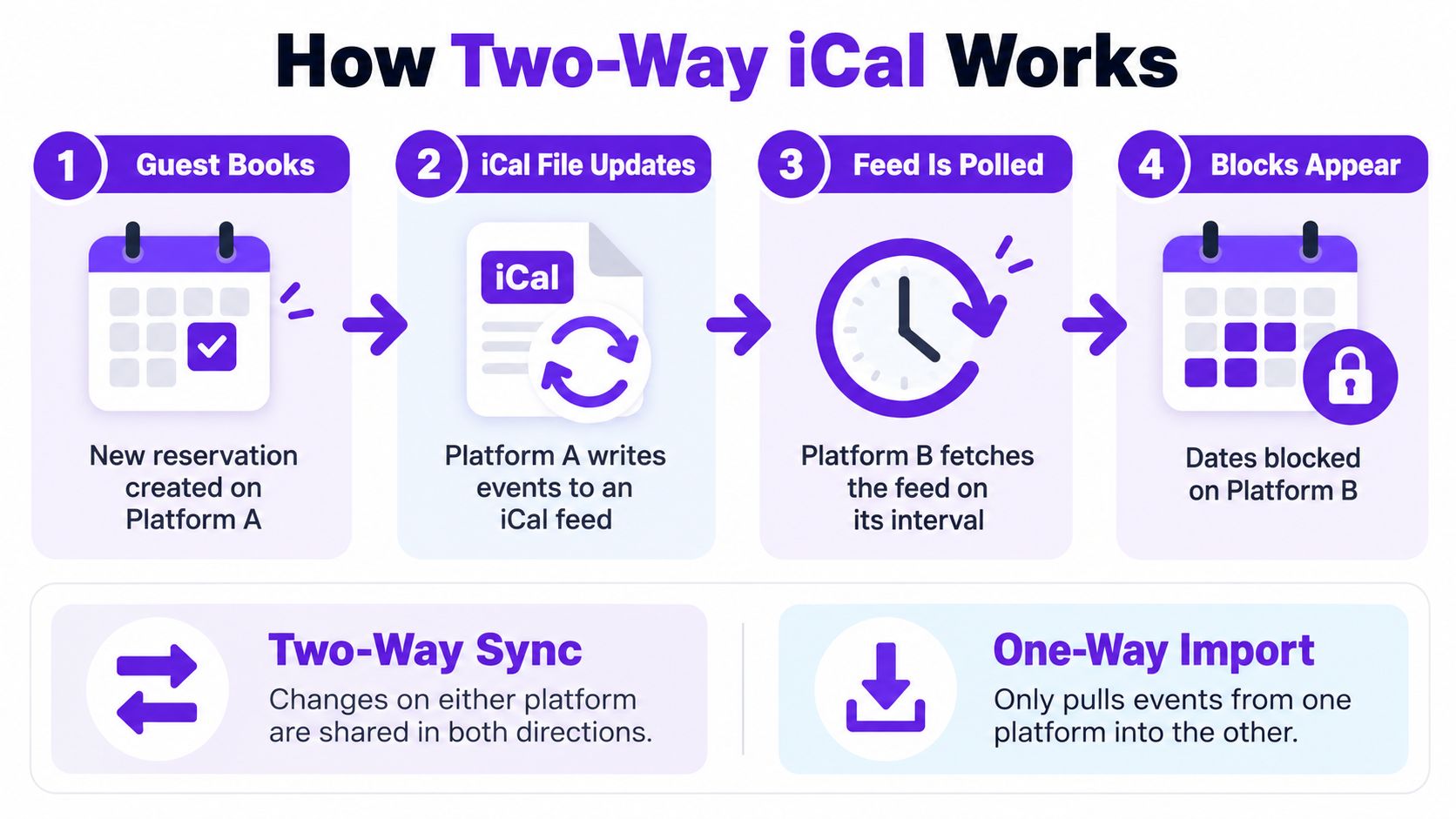
A one-way import moves information in only one direction. For example, your direct-booking site imports an Airbnb feed, so Airbnb reservations appear on the direct site. A booking made directly on your website won't automatically travel back to Airbnb unless the direct site also publishes an export feed and Airbnb imports it.
A two-way connection uses both import and export paths:
- A guest books on Platform A. Platform A creates a blocked calendar event.
- Platform A publishes its iCal feed. The event becomes available in the platform's exported calendar.
- Platform B fetches that feed. Platform B reads the event during its next refresh.
- Platform B blocks the dates. Guests can no longer request those dates through Platform B, subject to the platform's refresh timing.
The same flow works in reverse when the reservation starts on Platform B. If you're building a direct channel, the important question isn't just whether the site supports iCal. Ask whether it can both import external blocks and export confirmed bookings and manual blocks.
A direct booking request also needs careful treatment. The site may display availability based on imported data, but the imported feed can be older than the latest marketplace state. A sound booking process checks availability again before confirmation and prevents overlapping confirmed reservations. For broader context on how a direct booking flow fits into rental operations, see this guide to vacation-rental online booking.
The Hidden Race Windows
A guest books Friday through Sunday on Airbnb while your direct website still shows those dates as available. Airbnb confirms the reservation first, but the other channel has not yet imported the new block. That short interval is the hidden race window, when two channels can accept overlapping stays.
Two-way synchronization does not mean real-time synchronization. Airbnb says connected calendars update automatically every three hours, although hosts can refresh a calendar manually sooner. Airbnb's calendar synchronization guidance shows why timing matters: a reservation made just after a platform's last poll may remain visible on another channel until its next fetch.
What happens inside the gap
Suppose both channels show the same nights as open. The Airbnb booking is recorded immediately, while the direct site continues displaying availability until it retrieves the updated feed. The calendars can therefore pass through several states:
| Calendar state | What the owner sees | What may be happening |
|---|---|---|
| Before the reservation | Dates appear open everywhere | No channel has accepted the stay |
| Immediately after booking | One platform shows confirmed | Other platforms may still show availability |
| After the next import | Connected calendars show blocked dates | The race window has closed |
| After a failed import | One platform remains open | The feed is stale despite a “connected” label |
Traditional iCal synchronization typically retrieves feeds on a schedule of one to four hours, according to Guesty's explanation of double-booking prevention. API connections can push changes immediately, reducing the gap from hours to seconds. iCal still depends on polling intervals, platform rules, feed direction, and the steps used to confirm a reservation.
Audit the actual coverage, not only the connection status. Record when each channel last fetched the feed, compare that time with the latest booking, and test whether confirmed stays, owner blocks, maintenance, and cancellations travel in both directions. Treat imported availability as time-lagged information, not a live inventory lock. For direct requests, place a temporary hold, recheck connected channels before confirmation, and show the last successful import time so you can judge whether the data is reliable.
Syncing with Top Vacation Platforms
A guest can reserve a stay on Airbnb while the same dates still appear open on Vrbo or your direct-booking site. The platforms may all support calendar exchange, yet they do not process feeds in the same way. One may check for updates more often, another may interpret all-day events differently, and a third may show an active connection even after its latest import failed.
A fragmented setup becomes easier to understand when you follow the event's path. If a direct website shows the dates as blocked but Vrbo still accepts inquiries, possible causes include a delayed inbound refresh, reversed feed direction, expired access, or a formatting problem. The reservation itself may be correct.
Compare the connection, not only the platform
Review each channel-to-channel path with these questions:
| Connection question | Why it matters |
|---|---|
| Who exports the feed? | The source platform must publish reservations and blocks in calendar data another service can read. |
| Who imports it? | The receiving platform decides when to check for changes. |
| What events are included? | Confirmed bookings, owner stays, maintenance, and manual blocks may be treated differently. |
| When was the last successful fetch? | A connected label does not confirm that current events arrived. |
| What happens after a cancellation? | A missed cancellation can keep dates blocked, while a missed new block can expose them. |
Booking.com's reported estimate shows why a calendar connection deserves regular checking rather than a one-time URL exchange. The practical question is whether a booking, block, or cancellation reaches every channel before another guest can reserve the same dates.
For a small portfolio, iCal can work when the owner understands its delay and checks the feeds. As more properties and channels are added, a channel manager can centralize reservations, blocks, and connection status. Where available, API connections may reduce polling delays compared with iCal. Review this guide to a vacation-rental channel manager when comparing centralized workflows.
Choose one calendar as the operational reference point, then document how each external channel receives and applies its events. Test a new booking, owner block, maintenance closure, and cancellation. A platform label says only that a connection exists. Reliability comes from confirming that the complete route works in both directions, including the short periods when one channel has updated and another has not.
Common Sync Troubleshooting
When a calendar stops updating, start with the path of the event rather than repeatedly reconnecting everything. Identify the original reservation, the platform that should export it, the platform that should import it, and the expected blocked date.
Diagnose the feed in order
Confirm the export URL. Make sure you copied the calendar export link, not an import field or a private account page. A feed URL must point to calendar data that another service can retrieve.
Check the connection direction. An import tells a platform where to read events. An export makes events available for another platform to read. One correct link doesn't automatically create a two-way connection.
Review the last fetch time. If the timestamp is old, the receiving platform may not have retrieved the latest version. A manual refresh can help distinguish a temporary delay from a persistent failure.
Look for an HTTP or access failure. A private, expired, blocked, or malformed URL may prevent retrieval. The connection can appear configured while no current events arrive.
Inspect the event content. A successful fetch can still contain missing, duplicated, or incorrectly timed events. Check the affected reservation against the source calendar.
Test an intentional block. Add a controlled owner block, wait for the receiving platform to refresh, and confirm that the same dates become unavailable. Remove the test block afterward and verify the change also propagates.
Empty feeds deserve attention
A newly listed or sparsely booked property may publish a feed with no booking data. One current implementation guide notes that some OTAs may reject an iCal URL when it contains no booking data, while Airbnb calendar imports may be limited to the next 365 days. Cottage's iCal configuration guide highlights why an apparently successful setup can still omit far-future reservations or blocks.
Keep the previous valid calendar snapshot if a new feed is empty, malformed, or temporarily inaccessible. An empty response shouldn't automatically erase known reservations. Record the source platform, fetch result, and last valid event so you can distinguish “no bookings exist” from “the feed failed.”
Reliability Best Practices
A dependable calendar process has two parts. The first is technical, such as importing and exporting valid feeds. The second is operational, such as checking whether the feeds still cover every type of blocked date your business uses.
Start with one central availability calendar. Record confirmed reservations, owner stays, maintenance, renovations, and temporary holds there. Then connect external platforms to that calendar wherever possible. This gives your team a clear place to inspect exceptions instead of treating whichever OTA happens to be open on a browser tab as the authority.
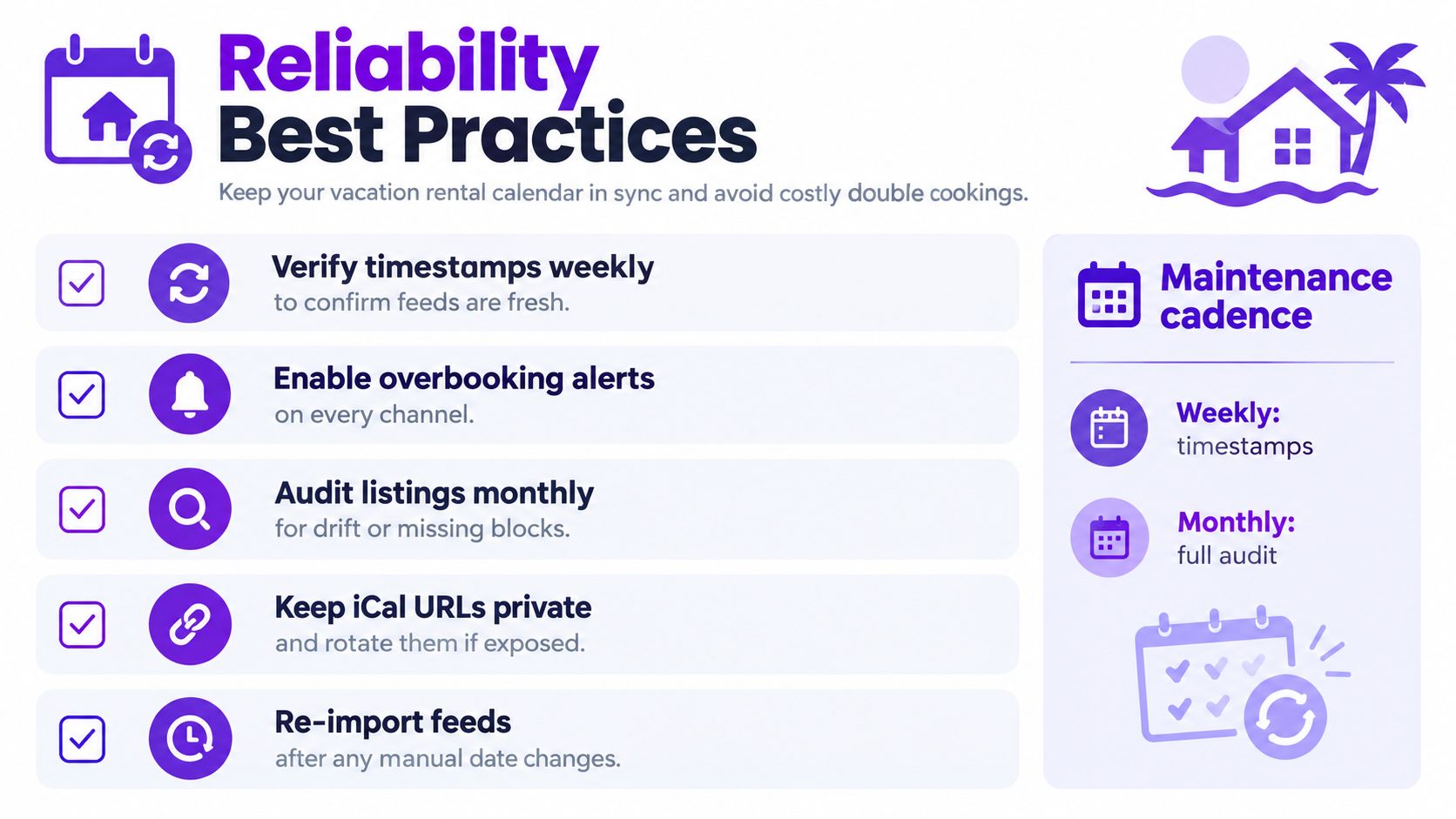
A working reliability checklist
- Check feed freshness: Review the last successful import timestamp regularly. Investigate an old timestamp before accepting a direct request.
- Separate holds from confirmations: A guest who has only submitted a request hasn't necessarily created a confirmed reservation. Use a temporary hold during payment or final confirmation.
- Audit every event type: Test a marketplace reservation, a direct booking, an owner block, a maintenance closure, and a cancellation. A feed can handle one event type correctly while missing another.
- Compare forward coverage: Check how far each channel displays and imports availability. Far-future dates may need manual review if a platform has a limited import horizon.
- Protect feed URLs: Treat iCal URLs as private connection credentials. If one is exposed, rotate it through the relevant platform and reconnect the receiving service.
- Reconcile exceptions: After a manual date change, re-import or refresh connected feeds and confirm that the change appears everywhere it should.
The calendar data itself also needs stable identifiers and correct time information. RFC 5545 requires each calendar event to have a globally unique UID and requires DTSTAMP in UTC. An importer should use the UID as the persistent event key, compare update metadata when available, normalize time zones, and process repeated feeds idempotently so the same reservation doesn't become multiple local records.
A connection is only as reliable as its last verified event, its coverage horizon, and its handling of exceptions.
For a small owner, a spreadsheet and platform calendars may be enough at first. A hosted direct-booking system can centralize availability, manual blocks, booking requests, pricing, and two-way iCal connections in one workflow. When comparing vacation-rental software, focus less on the number of integrations listed and more on the controls that prevent stale data from becoming a confirmed overlap.
Rentabble provides a hosted direct-booking website with live availability, booking requests, pricing tools, a central calendar, and two-way iCal import and export for platforms such as Airbnb, Booking.com, Expedia, and Vrbo. If you want to audit your current connections and give guests a direct way to request available dates, visit Rentabble.