Confirmation of a Reservation: What to Send and When
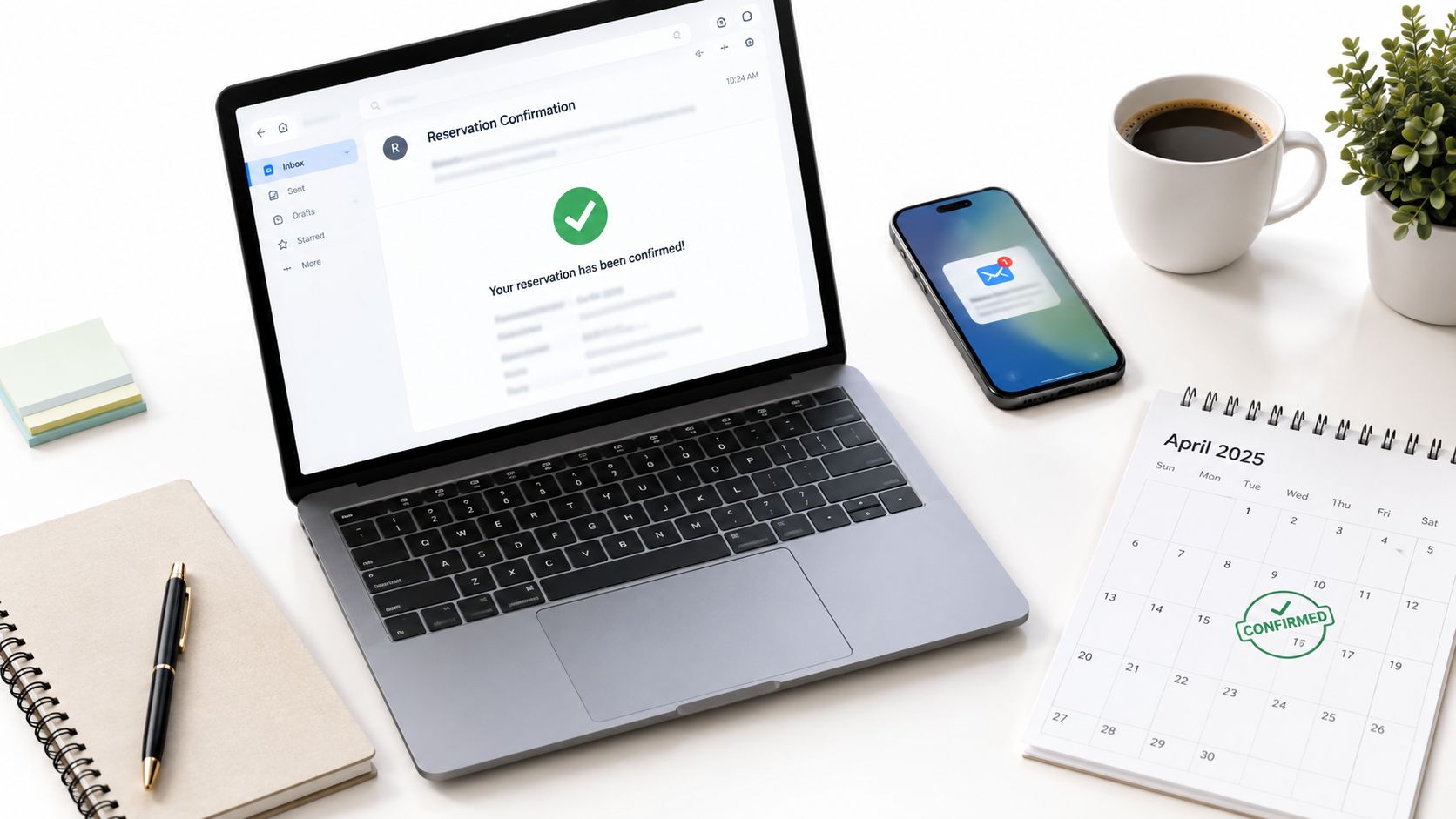
A guest sends a late-night message saying they just booked Friday to Sunday. You check your phone, see a payment notification, and think you're done. Then another booking request for the same dates is still showing as open on another channel, or your cleaner asks which guest is arriving because the dates were never fully locked. That mess usually starts in the same place: the gap between a guest's intent to book and the confirmation of a reservation.
Most hosts treat confirmation like an email template. In practice, it's an operations event. It's the point where dates stop being tentative, payment moves from possible to secured, and both sides get a written record they can rely on when arrival day gets busy.
Table of Contents
- The Moment a Booking Actually Becomes Real
- What Confirmation of a Reservation Means in Practice
- The Fields Every Confirmation Must Include
- Email Versus SMS for Reservation Confirmation
- Timing and the Two-Step Payment Flow
- A Working Confirmation Email Template
- Confirmation as a Revenue and Trust Touchpoint
- A Short Checklist to Cut Cancellations and Questions
The Moment a Booking Actually Becomes Real
The ugly version of this is familiar. A guest thinks they booked a Friday and Saturday stay. They show up Friday evening, bags in hand, and another guest is still inside because the first booking request was never fully confirmed before another channel accepted overlapping dates. Nobody cares at that point whether your wording was warm or your branding looked polished. They care about one thing: who has the reservation.
That problem lives in the small gap between "I clicked book" and "the dates are mine." Hosts often underestimate how much can go wrong inside that gap. A card can fail. A request can sit unreviewed. A channel sync can lag. A calendar can look open in one place and blocked in another if your rental availability calendar isn't tied tightly to your confirmation workflow.
What changes at confirmation
A reservation becomes real when three things happen together:
- The calendar locks: Those dates stop being available to anyone else.
- The payment status becomes usable: The card is authorized, or funds are captured under your payment rules.
- A written record is issued: The guest gets the details they need, and you get something your operations can act on.
By the early 2000s, real-time confirmation was already becoming a normal expectation in travel. Canada's Traveller Accommodation Survey reported that 46% of travel agencies with websites offered instantaneous confirmation of reservation, and it linked central reservation systems with stronger occupancy levels in the sampled hotel groups compared with no-CRS groups in the same dataset, as documented in the 2004 Traveller Accommodation Survey.
That shift still matters for short-term rentals. Guests don't experience confirmation as an admin step. They experience it as certainty.
Practical rule: If your system can't clearly answer "Are these dates locked right now?" then the booking isn't fully confirmed yet.
What Confirmation of a Reservation Means in Practice
Confirmation of a reservation isn't the same thing as saying "thanks for booking." It's a state transition. A booking moves from interest, to a temporary hold, to a confirmed record that changes your inventory.
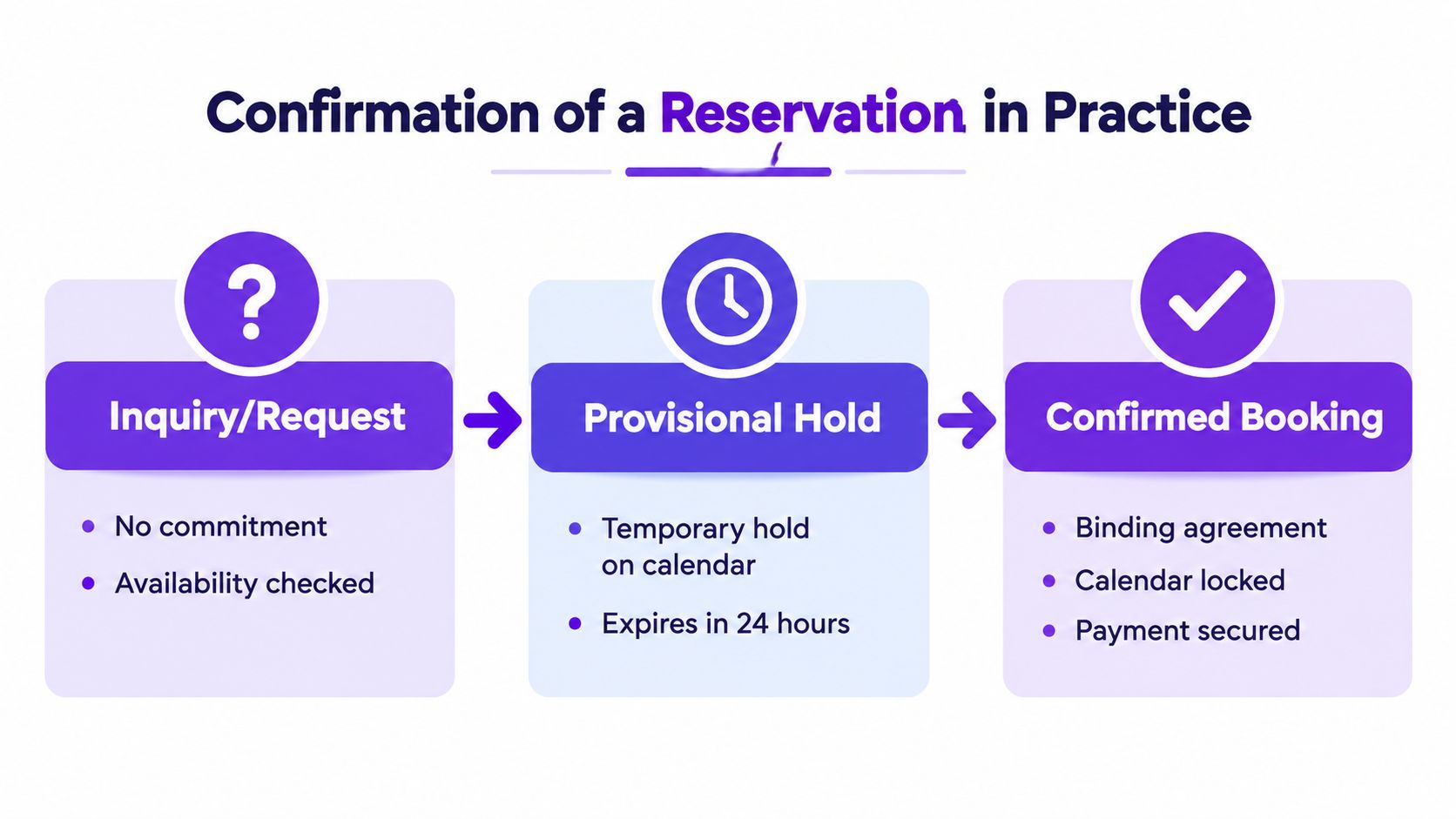
The three states that matter
Inquiry or request
The guest has asked for the stay, but nothing is committed yet. You may answer questions, review house-rule fit, or check for edge cases like minimum-stay conflicts. At this point, you should assume the booking can still disappear.Soft hold
This is the middle state many hosts skip in their thinking. The dates are temporarily protected while payment is verified or while you approve the request. In activity-booking systems, inventory can be preconfirmed and locked for 30 minutes before final confirmation, then reconfirmed with a booking number after payment completes, as shown in the Hotelbeds booking confirmation flow. The exact hold length can vary by setup, but the operational lesson is the same. A hold needs an expiry and a clear next action.Confirmed booking
Now the reservation is binding in your system. The calendar is locked. The payment has reached the state your policy requires. A confirmation number or booking record exists, and your arrival workflow can safely start.
Why hosts get tripped up
The dangerous mistake is treating a request as if it were already confirmed. This happens a lot with channel managers and direct-booking sites. A request can come in on one side while another channel still shows those dates as free until the confirmation step runs.
With instant-book platforms, the guest often experiences the booking as immediate because the system handles approval in the background. With request-to-book flows, the guest is living in a waiting room. If you don't make that distinction obvious in your own process, you'll create uncertainty for them and risk overlaps for yourself.
A good reservation system doesn't just collect intent. It controls when intent becomes inventory.
The Fields Every Confirmation Must Include
Guests rarely reread confirmation emails for the warm welcome. They reopen them because they're in the car, at the airport, outside the building, or arguing with a partner about check-in time. That's why field selection matters more than design.
Current hospitality guidance says a confirmation should prominently include the guest name, confirmation number, stay dates, room type, total rate with taxes, cancellation policy, address or map, and a fast contact method because those are the details guests look for first, and dates, times, and rate disputes are common sources of confusion in the Roommaster confirmation email guidance.
Rank the fields by what guests actually search for
| Rank | Field | Confusion It Prevents |
|---|---|---|
| 1 | Full property name and street address | Guests driving to the wrong building or searching the brand name instead of the exact location |
| 2 | Check-in and check-out dates with day of week | Friday versus Saturday mistakes, especially on short stays |
| 3 | Check-in and check-out times in the relevant time zone | Early arrival assumptions and late-night "can we get in now?" calls |
| 4 | Confirmation or reservation number | Faster support lookup when something needs to be verified |
| 5 | Total price with line items | Disputes over tax, cleaning, or fees |
| 6 | Payment status and method on file | "Did I already pay?" messages |
| 7 | Room or unit type | Mismatch between what the guest thinks they booked and what your system shows |
| 8 | House rules summary | Surprise disputes about pets, smoking, visitors, or quiet hours |
| 9 | Host contact details | Guests hunting through old messages when they're locked out or delayed |
| 10 | Directions, parking, gate, or entry notes | Last-mile arrival confusion |
What deserves the top of the email
Put the practical details first. A guest should be able to glance at the first screen of the email and answer five questions immediately:
- Where am I going
- Which dates are confirmed
- What time can I arrive and leave
- What did I book
- How do I reach someone if something's off
Everything else is secondary.
One detail I wouldn't bury is the cancellation policy. Guests look for it only when stress hits, which means they need it written plainly, not tucked behind vague button text. The same goes for parking and door access notes. If late arrivals are common at your property, those details prevent more friction than any polished opening paragraph ever will.
Email Versus SMS for Reservation Confirmation
A reservation feels real to the guest the moment they can find it again under pressure. Usually that happens in a searchable email, not in a text thread buried under delivery notices and family messages.
That is why I treat the channels differently in day-to-day operations. Email holds the record that proves the stay is confirmed and shows the guest exactly what was locked in. SMS handles short, time-sensitive updates that need to be seen fast.
Hospitality email benchmarks regularly show that confirmation emails get opened far more often than standard campaigns. One roundup from Stripo cites confirmation-email performance well above typical promotional sends, including strong open and click rates for booking-related messages, according to the hospitality email benchmark roundup from Stripo. That lines up with actual guest behavior. People search their inbox for a booking, but they read texts on the move.
What each channel should carry
| Attribute | SMS | |
|---|---|---|
| Best use | Full confirmation record | Time-sensitive reminders |
| Detail level | High | Low |
| Good for | Address, dates, rate, policies, parking, manual links | Arrival note, gate update, "reply if delayed" |
| Searchability later | Strong | Mixed, depends on guest habits |
| Formatting | Structured and scannable | Short and plain |
| Risk | Guests archive without reading | Too cramped for full details |
| Operational role | Official record | Fast nudge |
The practical split is simple. Send the complete confirmation of a reservation by email. Send the arrival-critical parts by SMS only when timing matters.
That distinction matters because confirmation is not just a polished message. It marks a state change in your operation. The unit is held or locked, payment may be authorized or captured, and the guest needs one place that reflects the current status. Email handles that job better because it can carry enough detail without turning into a mess.
SMS still earns its place. I use it for access-code timing, same-day parking changes, gate issues, and delayed-arrival replies. It cuts friction on travel day, but only because the heavy detail already lives in the email.
What fails in practice is using one channel for everything. A full booking record sent by text becomes hard to read and harder to retrieve later. An email-only flow creates avoidable support messages when an access instruction changes a few hours before check-in.
There are trade-offs. SMS requires consent handling, and international delivery can be uneven. Email gives you room for payment status, policy wording, and property instructions, but only if the subject line is obvious and the layout is easy to scan. The best setup uses both channels on purpose, with each one tied to a different stage of the reservation rather than sending the same information twice.
Timing and the Two-Step Payment Flow
Most confirmation problems are timing problems disguised as communication problems. The message wasn't late because the template was weak. It was late because your workflow didn't define when acknowledgment, validation, and payment should happen.
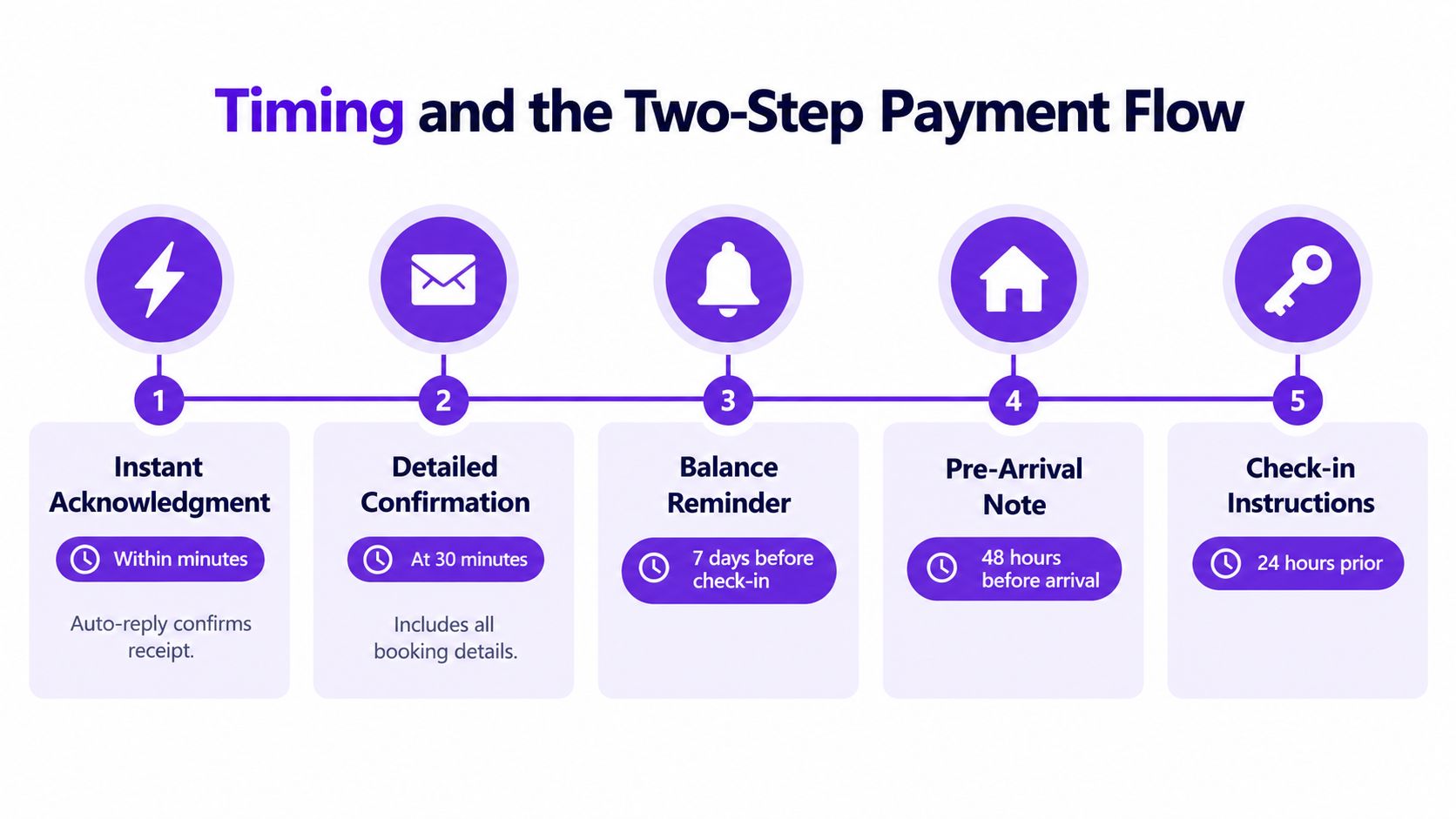
The sequence that keeps things calm
A practical timeline looks like this:
Within minutes
Send an acknowledgment that you received the booking or request. If it's not fully confirmed yet, say that plainly.After validation
Send the detailed confirmation once the reservation is locked. For many operators, that means after availability, stay rules, and payment status are checked.Before arrival week
Send a balance reminder if money is still due under your payment terms.Shortly before check-in
Send the pre-arrival note with access, parking, and contact details.Day before or day of arrival
Send the final operational message with entry instructions.
A systemized direct-booking flow matters here more than host memory. If you're using a vacation rental online booking setup, the sequence should be built into the booking lifecycle rather than handled ad hoc from your inbox.
Why authorization first is safer
A reservation confirmation system should use a two-step payment flow. First authorize the guest's card, then capture funds only after the booking is validated and confirmed, as described in Hospitable's direct-booking payment flow. That pattern reduces failed charges at booking time and protects inventory integrity because the stock is not finalized until the reservation moves from held to booked.
Many small operators create their own headaches. They either charge instantly before checking whether the booking should be accepted, or they confirm dates without securing payment status. Both create cleanup work.
The timeline is easier to visualize than to explain in the abstract.
What the guest should experience
The guest shouldn't see your internal complexity. They should feel a clean sequence:
- Their request or booking is received.
- The property validates it.
- Payment is secured under your policy.
- The calendar is locked.
- The detailed confirmation arrives.
- Arrival instructions come later, not buried in the first message.
That order cuts avoidable cancellations because the guest isn't left wondering whether anything worked.
A Working Confirmation Email Template
A confirmation email works best when it reflects a real booking state, not just a polished message. If the reservation is confirmed in the email, the dates should already be locked, the payment status should be accurate, and the guest should not need to ask whether the booking is in place.
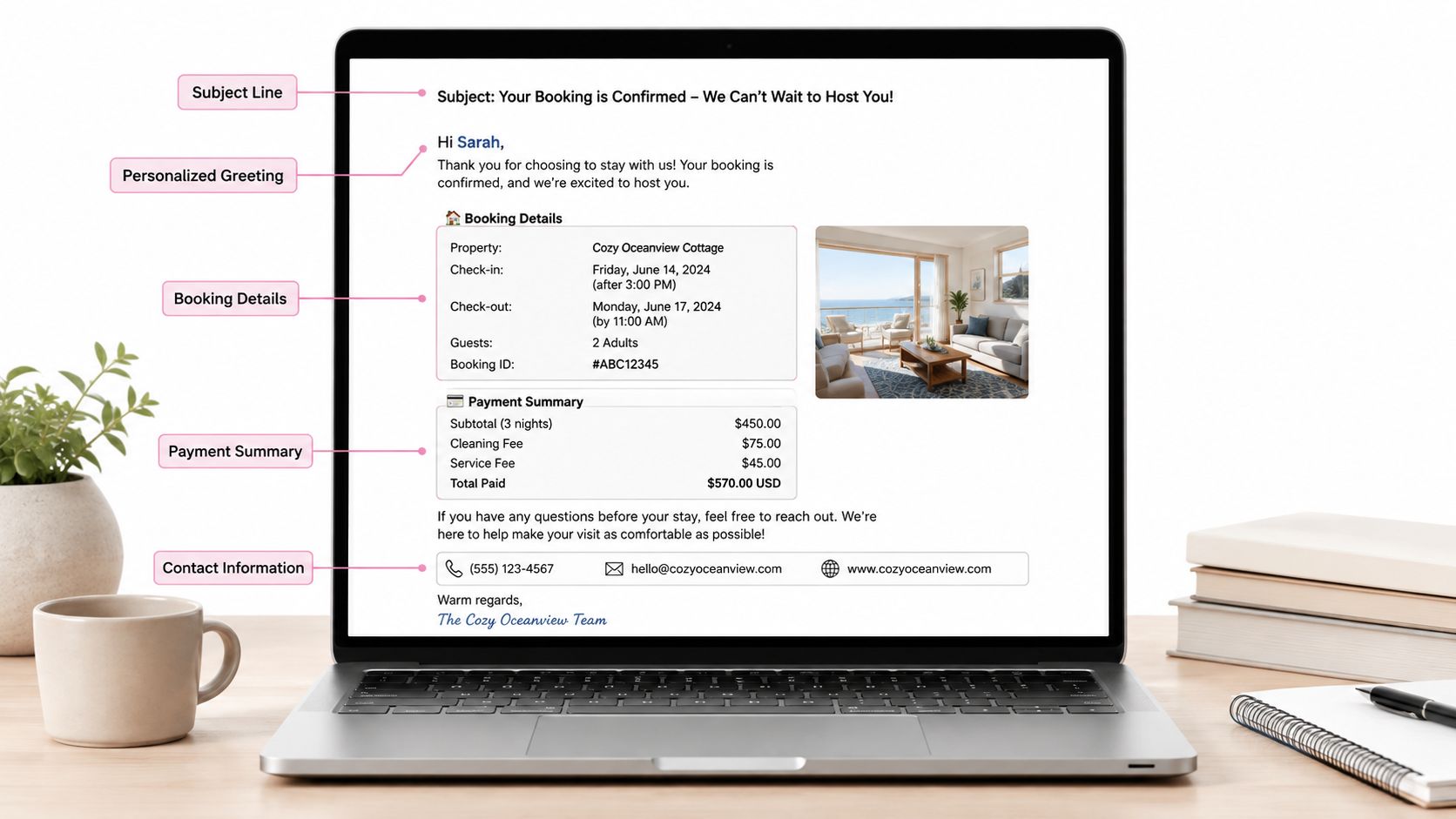
I keep these emails plain on purpose. Guests open them while traveling, forwarding details to a partner, or searching their inbox from a parking lot. The version that cuts questions is the one that puts status, dates, address, and access timing near the top.
A copy-ready template
Subject: [Property Name] confirmed for [Guest Name] | [Check-in date] to [Check-out date]
Hi [Guest Name],
Your reservation at [Property Name] is confirmed.
Address
[Full street address]
Reservation details
Check-in: [Day, Date, Time, Time Zone]
Check-out: [Day, Date, Time, Time Zone]
Unit booked: [Unit type or apartment name]
Confirmation number: [Booking ID]
Payment status
Total: [Line-item summary and total]
Status: [Authorized / Paid / Balance due on X date]
Card on file: [Last four digits, if your system supports this]
Arrival details
Parking: [Short parking note]
Entry: [How access will be shared and when]
Directions: [Short instruction or link]
House rules summary
[Quiet hours]
[Pet rule]
[Smoking rule]
[Visitor rule if relevant]
Cancellation policy
[Plain-text summary or direct link to full policy]
Questions or arrival changes: [Phone] | [Email]
Thanks, [Host name or property team name]
What actually prevents questions
A few fields do nearly all the work. Guests look for the property name, full address, day and date, check-in and check-out times, confirmation number, and current payment status. If one of those is missing, the guest replies, even if the email looks polished.
Arrival wording matters too. "Self check-in details will be sent on [date/time]" gets fewer messages than "Instructions to follow." The second version sounds fine to a host. To a guest, it creates doubt.
I also keep "confirmed" visible in both the subject line and first lines of the message. That sounds small, but it cuts the familiar back-and-forth after a hold expires, a card is re-run, or a guest has multiple travel threads in their inbox.
Use full written dates, not shorthand like 04/05/26. International guests read that differently, and the fix is easy. A clear format such as "Friday, 5 April 2026, 4:00 PM EDT" prevents avoidable mistakes.
If the email needs trimming, remove warm filler before you remove booking facts. Guests forgive a plain confirmation. They do not forgive confusion.
Confirmation as a Revenue and Trust Touchpoint
A reservation feels real to a guest when three things line up at once: the dates stop selling, the payment state is clear, and the arrival record matches what your team will use on check-in day. The confirmation message sits right on top of that handoff. If the message goes out before those pieces agree, it creates work instead of trust.
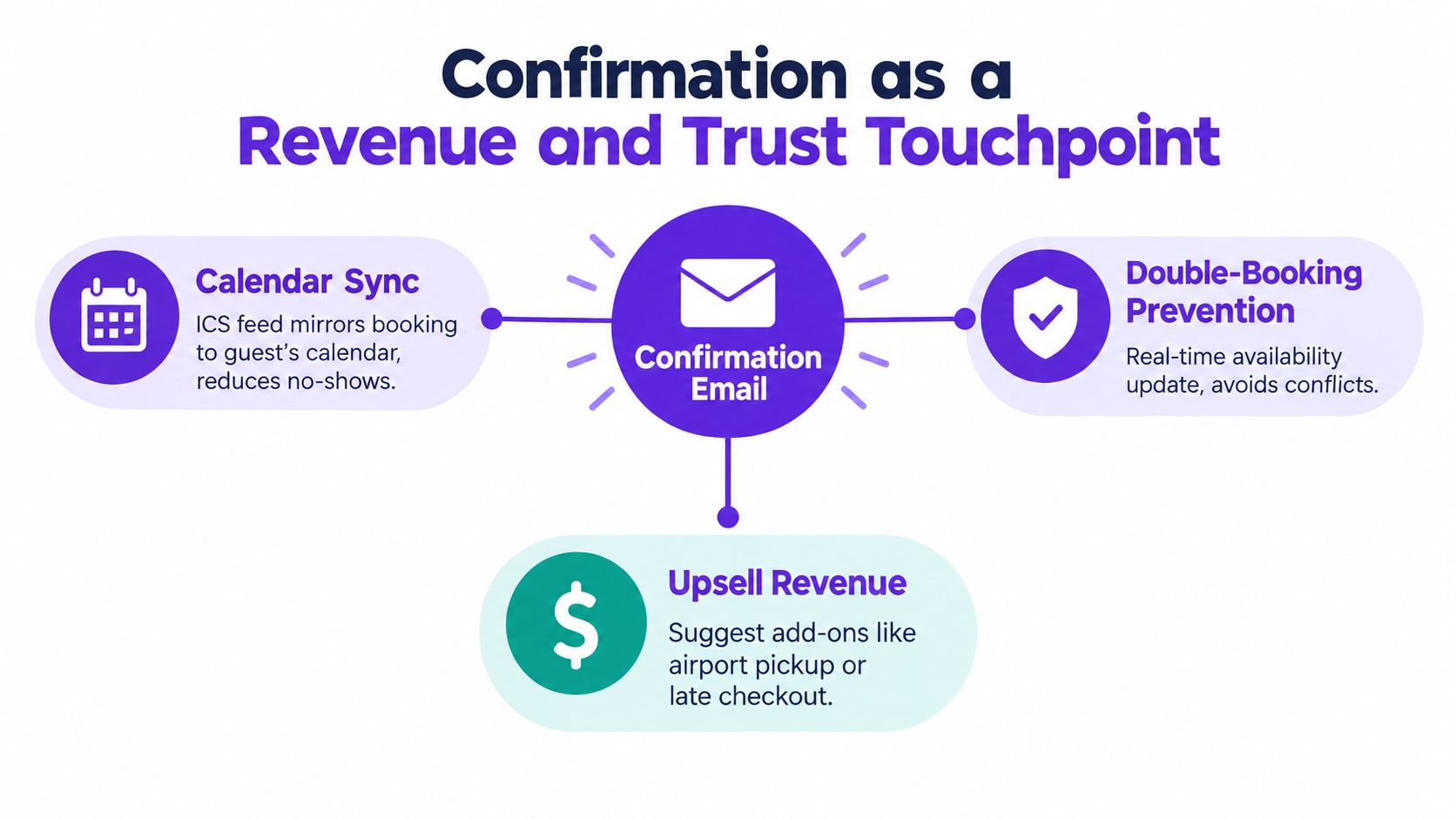
The calendar side matters more than polished copy
I have seen clean confirmations cause messy arrivals because the booking existed in the inbox but not in the operating calendar my cleaner or co-host checked. The message looked right. The stay was still at risk.
A good confirmation flow starts with one event that changes the reservation state everywhere it needs to change: hold removed, dates blocked, payment status written to the booking, and the same record pushed into the system the property uses day to day. For operators using direct-booking software, channel managers, or hosted tools such as Rentabble's online rental management system, the useful test is simple. Can you trace every booking back to one confirmed record, or are email, calendar, and payment each updating on their own clock?
That gap still causes denied arrivals. Recent coverage on missing hotel-side reservation data and denied check-ins points to confirmation-number mismatches and field-mapping errors between platforms and property systems. The practical fix is plain: verify the booking by guest name and confirmation number, then confirm the room or unit type and rate match the property record.
Revenue works best when it follows the booking state
Confirmation gets opened because the guest needs it, which makes it a strong place for selective post-booking revenue. As noted earlier, transactional messages tend to get far more attention than promotional ones. That does not mean loading the confirmation with every add-on.
I keep offers tied to operations. If the gap before the next stay allows it, offer early check-in or late checkout. If the stay is long enough to justify it, offer a mid-stay clean. If neither option is available, leave them out. Guests notice when an offer is technically possible in the email but impossible in the calendar.
Analysts at Revinate found that upsells in confirmation and pre-arrival messages increased year over year in the Revinate benchmark report. The trade-off is restraint. One relevant offer can lift revenue and still feel helpful. Three weak offers make the booking feel less settled.
Trust comes from operational accuracy
Guests do not judge a confirmation by tone alone. They judge it by whether the message holds up when they arrive, call, extend, or ask for a receipt.
When the unit type, rate, payment status, and arrival plan all match the property record, the confirmation does two jobs at once. It reassures the guest and gives your team a reliable source of truth. When those fields drift apart, the same email becomes evidence that your process is loose.
A Short Checklist to Cut Cancellations and Questions
Most hosts don't need a new writing style. They need a tighter operating sequence. If you want fewer cancellations and fewer "just checking" messages in the next month, fix the high-friction points first.
Start with the changes that move behavior
- Send the first response fast: Acknowledge the booking or request within minutes so the guest doesn't wonder whether the form worked.
- Put dates and address at the top: The first two lines should make the stay and location unmistakable.
- Write dates with day names: This cuts avoidable Friday versus Saturday mistakes.
- Show payment status plainly: Guests shouldn't have to guess whether they paid, authorized, or still owe a balance.
- Link the cancellation policy as plain text: Guests look for policy details under stress. Don't make them hunt through a styled button with vague wording.
Then tighten arrival communication
- Use email for the full record: That's where the complete confirmation of a reservation belongs.
- Use SMS only for time-sensitive updates: Arrival changes, access timing, or urgent reminders fit better there.
- Send a pre-arrival message before check-in day: Parking, entry, and contact details should arrive before the guest is standing outside.
- Trim decorative copy: If a sentence doesn't prevent confusion, set expectations, or support revenue, it probably doesn't belong.
Measure what changed
Track two simple before-and-after measures:
- Inbox questions per booking
- Cancellation rate
If those numbers don't improve, the confirmation process still has friction somewhere. Usually it's timing, missing fields, or a weak handoff between hold, payment, and calendar lock.
Rentabble gives small vacation-rental operators a direct-booking website with live availability, request management, pricing, and calendar sync, which makes confirmation easier to run as an actual workflow instead of a manual email habit. If you're trying to reduce overlap risk and make your booking confirmations clearer across your own site and connected channels, visit Rentabble.