Online Rental Management System: A Practical Guide

You've got three bookings coming in through Airbnb, two inquiries in your inbox, and a spreadsheet open beside a handwritten note about the cabin's blocked dates. Before confirming the newest request, you check every calendar again. Then you wonder whether the cleaning fee was included, whether the guest received arrival instructions, and whether the same night was just booked elsewhere.
That workload is manageable until the reservations, properties, and channels multiply. An online rental management system gives a small operator a central place to control availability, bookings, payments, pricing, guest communication, and operational records. The useful question isn't whether you need every available feature. It's which small set of functions removes the most risk and saves the most coordination.
Table of Contents
What an Online Rental Management System Actually Is
An online rental management system is the software layer that connects your rental inventory to the work required to sell and operate it. Instead of treating a website, marketplace calendar, inbox, payment processor, and spreadsheet as separate islands, the system gives you one operational workspace.
Think of the difference between a digital filing cabinet and a control panel. A filing cabinet stores reservation information after you've entered it. A control panel helps determine what's available, accepts or records the booking, updates connected channels, calculates the price, sends the right message, and keeps the reservation history attached to the guest.
For a small host, that distinction matters. An effective system replaces repeated actions such as:
Calendar copying: Entering the same blocked dates on Airbnb, Vrbo, Booking.com, and your own website.
Message repetition: Copying confirmation, payment, and arrival instructions from old emails.
Payment chasing: Manually checking deposits, balances, refunds, and payout records.
Mental reconciliation: Remembering which unit is open, which guest has paid, and which cleaner is assigned.
The system becomes the single source of truth for inventory. Every channel should receive the same availability information, while every confirmed reservation should flow back into the central record. That architecture is especially valuable for small operators because one missed update can create a conflict across several channels, as the operational model described by RentalDuel's explanation of channel management makes clear.
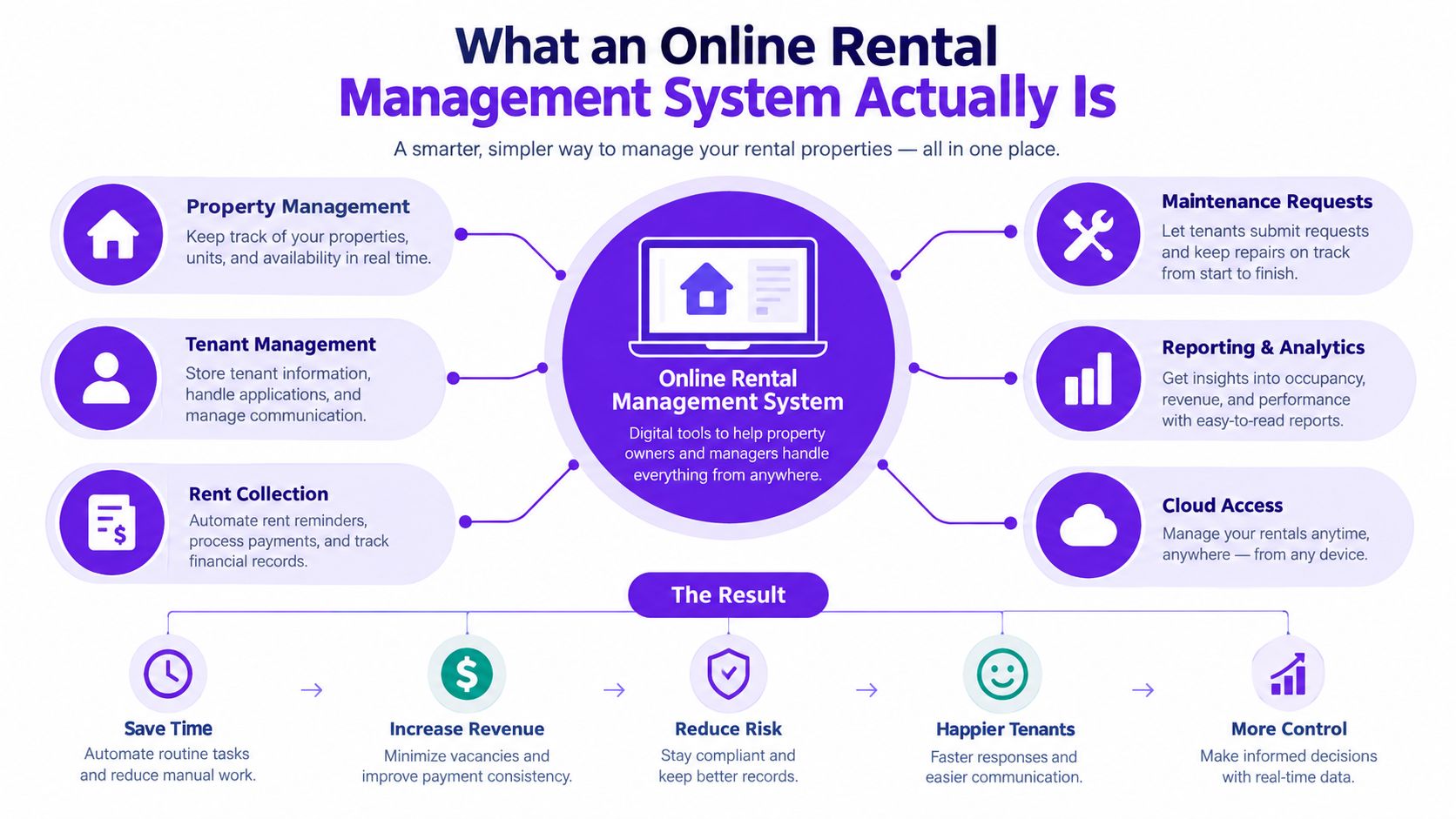
The system is a coordination layer
You don't have to buy one enormous platform and activate everything immediately. A practical setup might combine a hosted booking website, payment collection, calendar synchronization, automated messages, and a basic dashboard. A larger operator may add revenue management, accounting integrations, task automation, guest screening, or owner reporting.
The vacation rental market provides the context for why this coordination layer has become important. The market was valued at USD 101.7 billion in 2025, projected to reach USD 106.5 billion in 2026, and projected to reach USD 121.9 billion by 2033, with a 3.7% CAGR, according to StayFi's vacation rental market overview. Europe accounted for 33.9% of global revenue in 2025, showing that digitally managed rental inventory is a substantial international business segment, not merely a convenience for occasional hosts.
The right mindset is simple: use the system as the operational backbone of your direct-booking strategy. Don't pay for complexity just because a vendor includes it.
Core Modules Inside a Modern Rental System
Each module has a distinct operational job. You can picture the system as a small rental office where every desk handles one part of the booking lifecycle.
Bookings are the reservation ledger
The bookings module records the guest, property, dates, price, payment status, cancellation status, and notes. It's the ledger that replaces a spreadsheet row plus several related emails. When a guest submits a request or completes a booking, the reservation should update the property's availability without requiring you to enter the same information again.
Payments are the cashier desk
Payment features handle deposits, balances, refunds, invoices, and transaction records. The exact payment workflow depends on the platform and processor, but the principle is consistent: the reservation and the money record should remain connected. That makes it easier to see whether a booking is confirmed, awaiting payment, partially paid, or ready for a refund.
Payment processing is already widely adopted among operators, while other tools have less consistent uptake. A tech-stack analysis cited by Hostfully's industry data announcement reports that 91% of operators use payment processors, compared with 77% to 85% using dynamic pricing and 9% to 39% using guest communication and AI tools. The practical lesson is that payment collection is usually closer to a foundation than an optional enhancement.
Calendar sync is the shared schedule wall
The calendar shows when each property is available, blocked, reserved, or awaiting confirmation. A proper sync connects that schedule to the channels where guests can book. Two-way updates matter because information must travel both from the central calendar to each channel and from each channel back to the central calendar.
Pricing rules are the label printer
A pricing module applies base rates, seasons, minimum stays, arrival-day restrictions, discounts, and manual overrides. It can reduce the need to recalculate every quote by hand, but it shouldn't remove your judgment. Small operators often need clear rules before they need advanced automation.
The dashboard is your morning brief
A dashboard gathers the information you need before acting: new inquiries, upcoming arrivals, unpaid balances, occupancy, revenue, blocked dates, and operational tasks. Reporting and guest profiles complete the feedback loop by showing what happened in previous stays and preserving useful context for future communication.
| Module | What It Manages | Manual Task It Replaces |
|---|---|---|
| Bookings | Reservations, guest details, dates, and status | Re-entering booking information |
| Payments | Deposits, balances, refunds, and receipts | Matching payments to reservations |
| Calendar sync | Availability across channels | Updating several calendars separately |
| Pricing | Rates, seasons, rules, and discounts | Recalculating every quote |
| Communication | Confirmations, instructions, and follow-ups | Copy-pasting messages |
| Reporting | Revenue, occupancy, and booking history | Building summary spreadsheets |
A one- to six-unit host doesn't need every module active on day one. Understanding each module helps you decide what to combine, what to activate, and what to leave switched off.
How Calendar Sync and Booking Automation Really Work
Start with one rule: the master calendar must be authoritative. It should know the availability of every unit and provide the reference point for your website, marketplaces, and manual blocks.
With two-way iCal synchronization, each channel exports an .ics calendar feed. The central system imports that feed, and the central system exports its own calendar for the channel to import. The calendars compare blocked dates and reservations, then update according to each platform's refresh schedule.
That process is useful, but it isn't instantaneous. iCal is a pull-based mechanism that can lag from about 15 minutes to several hours, creating a double-booking exposure window when reservations are accepted on multiple channels, as explained by Rentals United's guide to preventing double bookings.
Two different kinds of synchronization
iCal works like a courier carrying a written schedule at intervals. The courier may deliver the latest version soon, but the other channel won't know about a new reservation until it checks or receives that feed.
API and webhook connections work more like a phone call. A new booking triggers an event, the system receives it, and availability can update immediately. Direct API or webhook synchronization also handles information that date-only feeds generally can't reliably carry, including rate changes and minimum-stay rules.
The difference affects how much overlap risk you can tolerate. A single cottage with open gaps may accept a slower safety net. A small portfolio with tightly booked weekends needs stronger connections and a confirmation process that gives the operator time to verify the reservation.
Practical rule: Use API or webhook connections where the channel supports them, keep iCal as a backup, and don't remove manual review gates until the workflow has survived real booking conditions.
The booking sequence should be explicit:
A guest submits or completes a booking.
The system checks the unit's current availability.
The system prevents an overlap when the reservation is confirmed.
The master calendar records the booking.
Connected channels receive the updated availability.
The guest receives the appropriate confirmation or payment message.
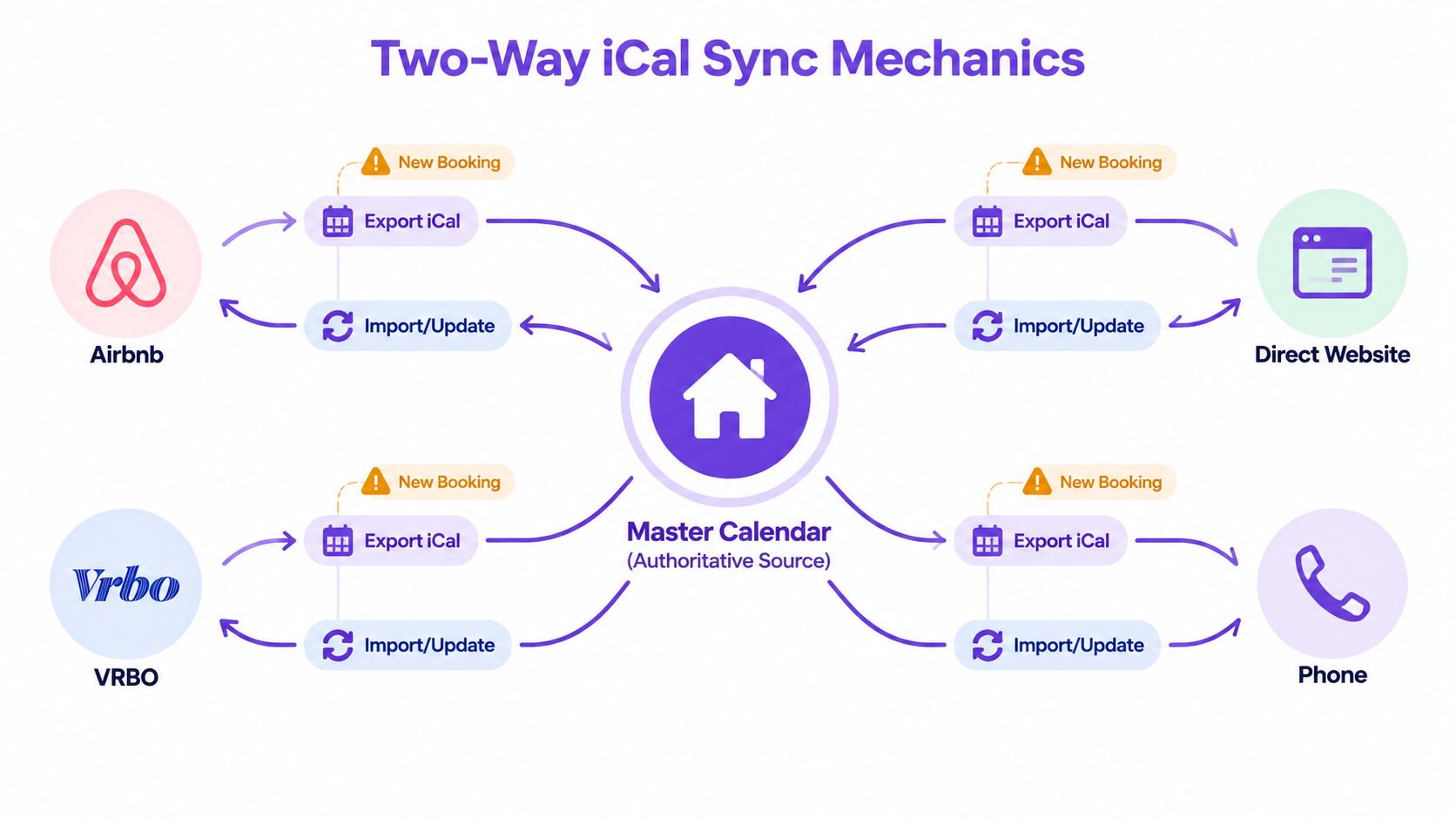
The following video gives a visual explanation of the synchronization concept and can help non-technical hosts understand how calendars exchange availability.
Direct Booking Sites Versus Marketplaces and Custom Builds
A direct-booking website is only one part of the rental operation. It gives guests a way to reserve with you directly, but it still needs accurate availability, reliable payment handling, pricing rules, and a process for managing requests.
The main options serve different priorities:
| Option | Upfront Cost | Monthly Cost | Brand Control | Setup Time | Channel Coverage |
|---|---|---|---|---|---|
| Hosted direct-booking platform | Usually low | Subscription-based | Strong | Fast | Website plus supported channels |
| Marketplace-only listings | Usually low | Marketplace fees or commissions | Limited | Fast | Strong within that marketplace |
| Custom website with plugins | Variable | Hosting, plugin, and maintenance costs | Very strong | Slower | Depends on integrations |
| Channel manager linked to a PMS | Variable | Subscription and possible add-on costs | Moderate to strong | Moderate | Broad, depending on connections |
A hosted platform exists because most small hosts don't want to learn web hosting, payment compliance, responsive design, plugin maintenance, and calendar integration at the same time. It bundles those layers into a managed service, which lets you focus on listing quality and guest operations.
A custom WordPress site can win when you need unusual landing pages, complex content, or a highly specific brand experience. It also creates maintenance responsibility. Plugins can conflict after updates, booking flows can break, and slow pages can undermine an otherwise attractive site.
Marketplace-only operation is simpler. The marketplace supplies demand, messaging, reviews, and a familiar booking environment. In return, you give up some control over the guest relationship, site experience, and pricing structure.
A channel manager connected to a property management system provides broader operational depth, especially as the portfolio grows. For a small owner, that strength can become unnecessary weight if the system adds modules you won't use.
For practical guidance on the website layer, review this guide to vacation rental websites. The central distinction remains: your direct-booking website is a sales channel, not the entire rental management system.
A Minimum Viable Stack for Small Operators
Consider a host with two city apartments and one coastal cabin. The host lists the properties on an OTA, receives direct inquiries from past guests, handles cleaning personally, and wants a branded website without hiring a developer.
That portfolio needs a reliable core, not an enterprise stack. Start with a hosted direct-booking website that combines property pages, a booking engine, availability, price calculation, and payment collection. Add a central calendar that supports manual blocks and overlap prevention.
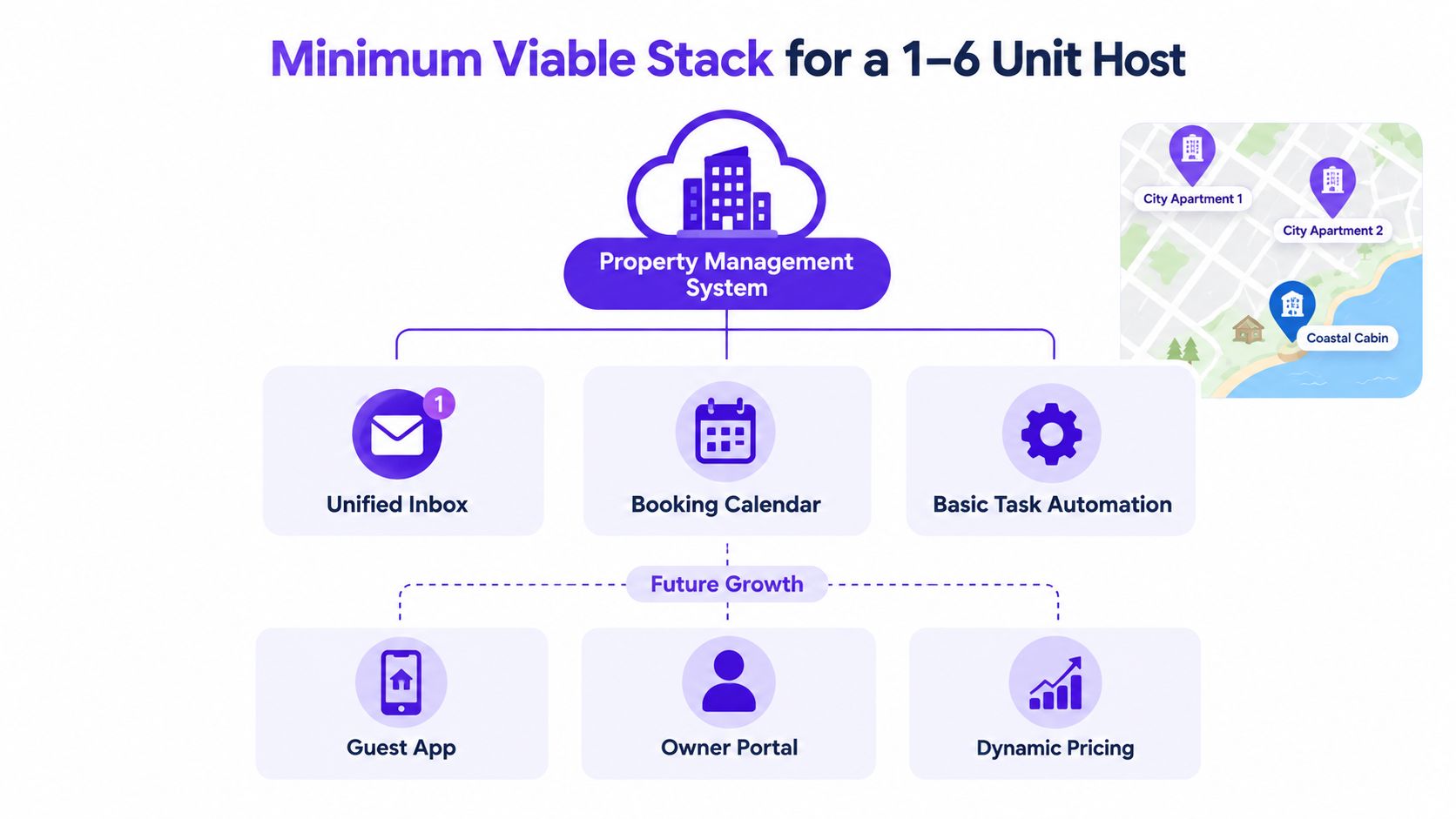
The next decision depends on distribution. If the host sells through more than one OTA, calendar synchronization becomes necessary. Start with two-way iCal if that is the available connection, and prefer a channel manager or direct integration when the booking pattern makes delays risky.
Pricing automation should be added only when manual rate changes become a real burden. A host with simple seasons may need rate periods, minimum stays, allowed check-in days, and discounts. A host managing heavy seasonality or several competing channels may later benefit from a specialized dynamic pricing tool.
What can wait
Several features are useful but not foundational for this example:
Advanced analytics: Defer until basic revenue and occupancy reports no longer answer your questions.
Branded guest apps: A mobile-friendly website and clear messages may be enough for a small portfolio.
Review automation: Send a thoughtful manual follow-up while booking volume remains manageable.
Custom development: Avoid it until a genuine workflow limitation justifies maintenance responsibility.
Large integration stacks: Add accounting, smart-home, screening, cleaning, or AI tools only when a specific problem requires them.
The host should be able to launch with the smallest reliable combination, then add one module at a time. A sample monthly cost tally cannot be stated responsibly without the chosen vendor plans, payment terms, transaction structure, and add-ons. Compare the total recurring cost, including payment processing and optional integrations, rather than assuming a longer feature list delivers better value.
Operational Problems a Good System Solves
The strongest argument for an online rental management system is not that it has a long feature list. It's that it removes specific failure points from the day.
A double booking starts with a small gap between channels. One guest reserves a Friday night on a marketplace while another sends a direct request for the same unit. The host confirms both before the calendars align. The result may include a refund, emergency rebooking work, an uncomfortable guest conversation, and a damaged review outcome.
A central calendar with overlap prevention attacks the problem at the point of confirmation. It won't fix a disconnected channel or an incorrectly linked calendar, so the setup still requires testing and monitoring.
Speed affects the booking workflow
Guests often ask for a price, dates, cleaning fee, and availability in one message. If you need to open a spreadsheet, check several calendars, calculate the total, and compose a reply, the guest may continue searching while you work.
An online booking flow can display live availability and an automatically calculated total. Automated confirmations and arrival instructions then reduce the repetitive writing that follows a successful request.
Small errors leak margin
Manual operations can lose money without creating a dramatic incident. A host may forget a cleaning fee, apply the wrong seasonal rate, omit a minimum-stay rule, or fail to record a refund in the financial notes. A system with structured pricing and payment records makes those decisions visible and repeatable.
The broader operating environment supports this need for better coordination. Grand View Research's vacation rental market analysis reports 1,600,446 active vacation rental listings in the United States by December 2025, compared with 1,309,870 in January 2023, and 13.6 million booked nights in January 2025, compared with 12.38 million a year earlier. The same source reports 982,180 European bookings through one major reservation platform in 2025, worth €771.9 million, while that platform's booking value exceeded €1.3 billion globally in 2025. These figures indicate an operating environment where manual reconciliation becomes harder as channel activity expands.
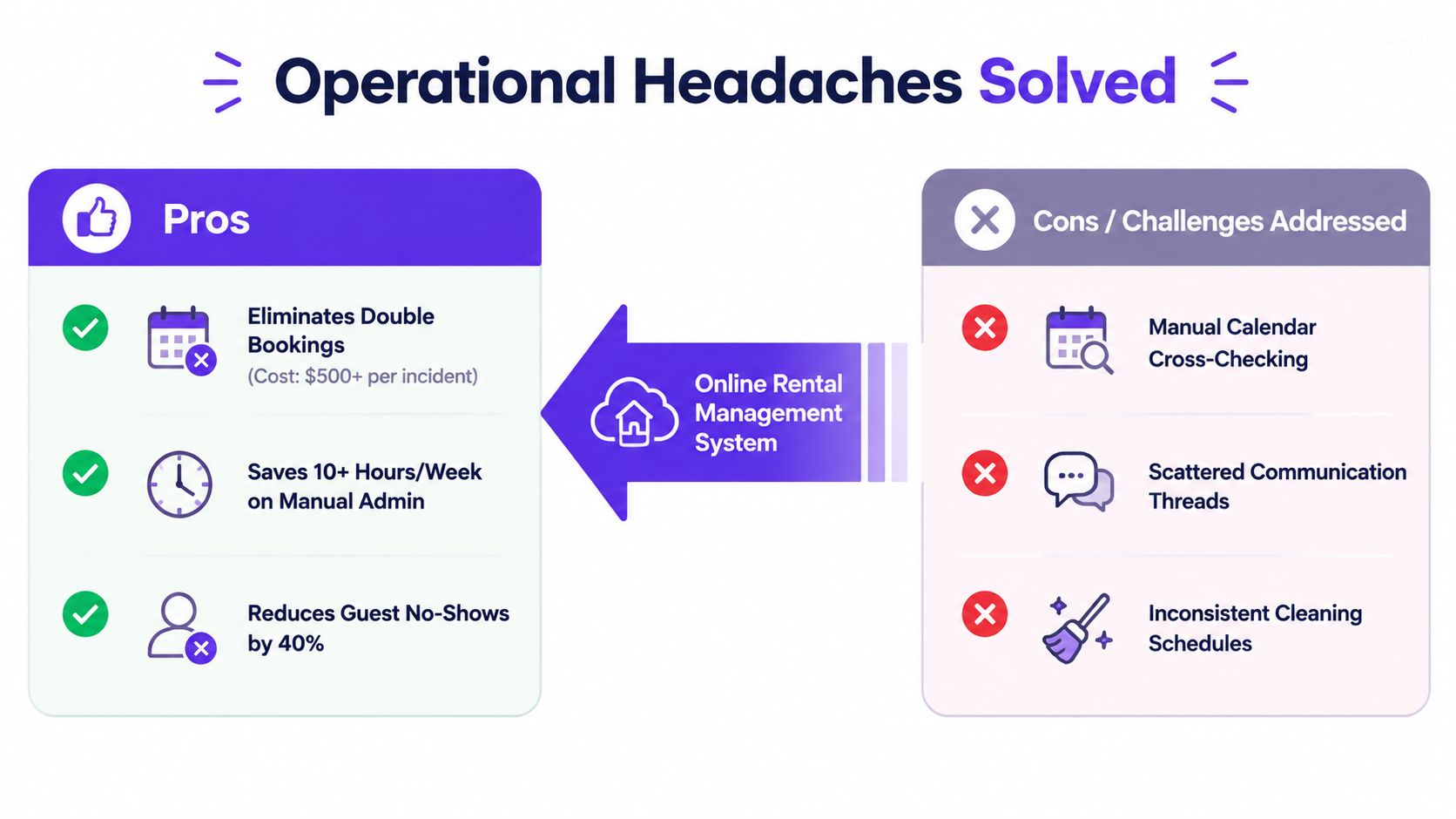
The system won't improve poor photos, weak descriptions, an inconvenient location, or an uncompetitive offer. Defer upsells, branded apps, AI-written descriptions, and advanced analytics if those basics still need attention. For practical preparation beyond software, this apartment essentials guide can help you address the guest experience itself.
How to Choose and Adopt the Right System
Treat adoption as a controlled test, not a dramatic migration. A small operator can move through the following decision path over 14 to 21 days, provided the chosen platform supports the required imports and connections.
Test the real workflow first
Begin with a free trial or structured demonstration using your actual properties. Create overlapping booking scenarios, cancel a reservation, block dates manually, change a rate, and test the guest-facing booking flow on a phone.
Stop if the calendar doesn't update as expected or if you can't explain which system is authoritative. Continue only when the core booking path is clear.
Move the information before the first live booking
Import properties, photos, descriptions, nightly rates, taxes, cleaning fees, blocked dates, and useful historical guest notes. Check each property manually because a migration can preserve a field while changing how the platform interprets it.
Stop if prices, fees, or availability are wrong. Continue when the new records match your current operating information.
Connect channels and define pricing
Pair the iCal URLs from Airbnb, Vrbo, Booking.com, and other active channels with the master calendar. Prefer a webhook-enabled or API-based connection where available, while keeping a documented backup process for failed updates.
Then set base rates, seasonal periods, minimum stays, length-of-stay discounts, and manual override rules. Don't automate a rule you can't describe in plain language.
Run a soft launch
Operate the old and new workflows in parallel for one or two booking cycles. Compare dates, totals, payment states, guest messages, and cleaning information before switching completely.
If the system passes each gate, go live. If it fails, keep the old process active while you correct the specific configuration rather than migrating blindly.
Hosts evaluating a hosted direct-booking option can visit Rentabble to review how its website, pricing, availability, calendar sync, and booking-request functions fit together.
Deciding If an Online Rental System Is Worth It for You
Use three questions: How many units do you coordinate? How many inquiries arrive? How much information must stay consistent across channels?
A system is more likely to pay for itself when you hold three or more units, exceed 60% annual occupancy, receive more than four direct inquiries per week, or accept group stays across multiple properties. Those decision thresholds come from the operating rule for this guide, not from a market statistic, so treat them as practical screening criteria rather than guaranteed financial outcomes.
Below those thresholds, a single-channel listing with native messaging and a shared spreadsheet may be perfectly rational. You don't need a full platform if your operation has low coordination complexity, few changes, and no meaningful direct-booking workflow.
Between the thresholds, choose a hosted system that combines a direct-booking website, calendar management, and payments. Above them, evaluate stronger API connections, revenue management, dynamic pricing, reporting, and integrations.
Marketplace-only operation remains sensible when the marketplace supplies nearly all demand, the portfolio is small, the owner has little need for an independent brand, and the operator can safely manage the channel's workflow. The decision isn't about software prestige. It's about whether the cost of coordination has become greater than the cost of a simple system.
Rentabble gives small vacation-rental owners a hosted direct-booking website with branded property pages, live availability, pricing tools, booking requests, payment support, and two-way calendar synchronization. Visit Rentabble to see whether its minimum-viable setup fits your one- to six-unit operation.